Module 04 · AI-generated 3D assets
From image to 3D model
At the endA 3D model generated from your own concept image
- Time
- about 40 min
- Level
- Beginner
- You need
- An image generator of your choice · Tripo or Meshy (cloud), or a local image-to-3D pipeline on an NVIDIA GPU · Blender (free; your agent drives it) · Claude Code or Codex
- Before this
- First build on your headset
Evidence: documented practice with some reconstructed steps.
What this lesson covers
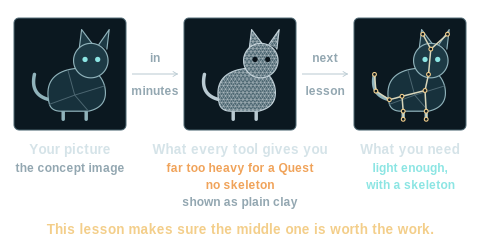
Where generated 3D models come from (Tripo, Meshy, a local TRELLIS pipeline, marketplaces, CC0), what a reference image must look like, why you always generate several seeds and pick one, which licences can sink a product, and how to judge a model close up from four angles before anyone spends an hour cleaning it.
- Decide whether an asset should be generated at all, or taken from Mixamo, a marketplace or a CC0 library
- Brief an image generator for a reference image that image-to-3D tools can read (front-ish view, limbs clear, plain background)
- Get several candidates from one image and pick the best by evidence, not by the first thumbnail
- Check the licence of every tool and model weight in the chain before you build on the output
- Accept or reject a model from close-ups of at least 900 px, four angles, head and joints separately
This lesson is part of full access
You can see above what it covers. The steps, prompts, code and downloads open with full access: all 46 lessons for €49, paid once.