Module 02 · Your first Quest app
Store-ready builds: manifest, signing, versioning
At the endA signed build with a manifest a store would accept
- Time
- about 55 min
- Level
- Beginner
- You need
- Unity 2022.3.62f3 (keytool, aapt and apksigner come with its Android modules) · Meta developer dashboard · Claude Code or Codex · quest-vibecoding-starter
Evidence: documented practice with some reconstructed steps.
What this lesson covers
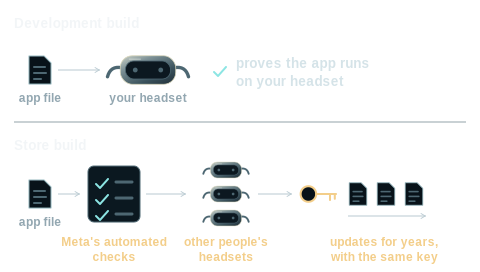
The three traps I hit in one evening before a store submission, and how to never hit them yourself. An eye-tracking requirement Unity writes into your app without asking (which would hide it from Quest 3 and 3S), a signing password Unity leaves in plain text in its caches, and a key switch that deletes your users' data. Plus your own package ID, a version code that always goes up, and what to check before you upload.
- Know what separates a development build from a store build, and have your agent audit every line of your app's manifest
- Recognise the injected eye-tracking requirement and prove it is gone from the final app
- Create your release key yourself, keep it out of the repository, and make sure its password never stays in Unity's caches
- Avoid the debug/release signature trap and pick a version code strategy
- Upload to a private test channel and re-test the store copy
This lesson is part of full access
You can see above what it covers. The steps, prompts, code and downloads open with full access: all 46 lessons for €49, paid once.