Module 02 · Your first Quest app
Setup: the three things only you can do
At the endYour Quest shows up as an authorised device
- Time
- about 45 min
- Level
- Beginner
- You need
- Unity Hub and Unity 2022.3.62f3 · Android Build Support (OpenJDK, Android SDK & NDK Tools) · Meta Horizon mobile app · Claude Code or Codex
- Before this
- A Meta Quest 3 with both Touch controllers, charged and updated · A Windows 10/11 PC with roughly 30 GB free disk space and admin rights · A USB-C cable that carries data (not a charge-only cable)
Evidence: documented practice with some reconstructed steps.
This lesson is free. Create a free account to start.
Your progress is saved on every device, and the first four lessons open right away, up to your first app on the headset.
What this lesson covers
Developer mode, a real data cable and one prompt inside the headset are the whole difference between "my PC can't see the Quest" and an agent that builds, installs and tests your app on its own. Plus the exact Unity version and modules the documented reference build used, and a read-only check your agent runs for you.
- Know the three human-only steps (developer mode, data cable, "Allow USB debugging" inside the headset) and why everything after them can be done by your agent
- Install exactly Unity 2022.3.62f3 with Android Build Support, OpenJDK and Android SDK & NDK Tools, and know why the version is pinned
- Get your Quest 3 to show up as an authorised USB device, checked through the adb that ships inside Unity
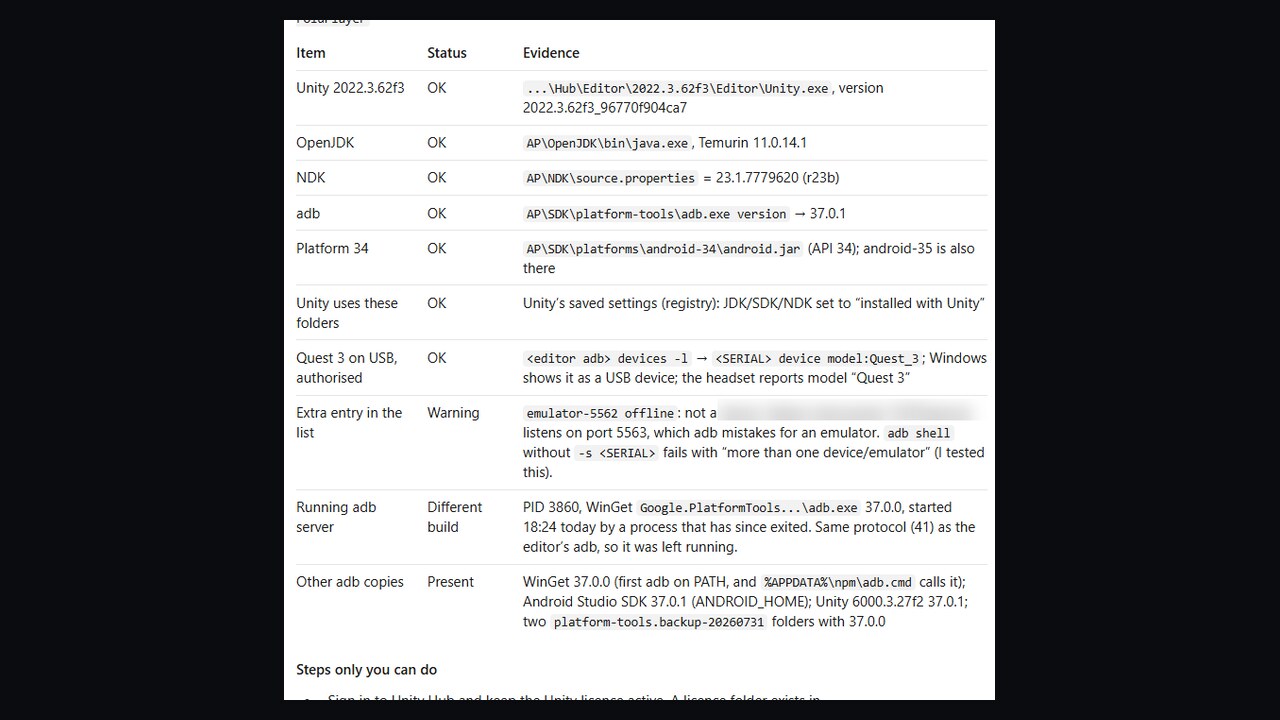
- Have your agent run a read-only setup check and write you a setup receipt