Module 02 · Your first Quest app
Passthrough, placement and your first interaction
At the endYou grab, recolour and reset a sculpture in your room
- Time
- about 60 min
- Level
- Beginner
- You need
- Unity 2022.3.62f3 · Meta XR Core SDK 85.0.0 (comes with the starter) · Claude Code or Codex · quest-vibecoding-starter
- Before this
- First build on your headset
Evidence: documented practice with some reconstructed steps.
What this lesson covers
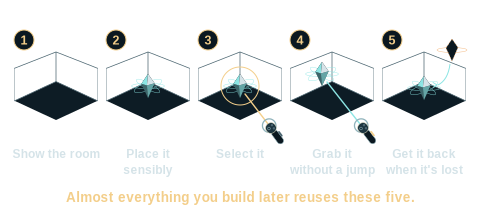
How your real room ends up behind your virtual objects (and the three things that can quietly turn it black or white), where to place things so they feel right sitting and standing, and how to get a grab that never jumps, a button that only reacts when it should, and a reset that always saves you. You describe the behaviour; the agent builds it; you check it in the headset against the starter's finished reference.
- Understand passthrough as a layer under your image, and recognise the three ways an app hides the room by accident
- Choose head-relative or floor-relative placement and know why "looking straight down" must be refused
- Brief your agent for a ray-grab that keeps its offset, an A-button colour cycle that only reacts on target, and a reset that works in every state
- Check each interaction in the headset with one answer per behaviour, and compare it with the starter's finished reference scene
This lesson is part of full access
You can see above what it covers. The steps, prompts, code and downloads open with full access: all 46 lessons for €49, paid once.